
You can upgrade at any time. The new plan starts as soon as your payment is confirmed, and your unused days are credited.
What you need
- Plan: Free to Pro or Team, or Pro to Team
- Time: 3 minutes
- A way to pay. See payment methods.
Choose your plan
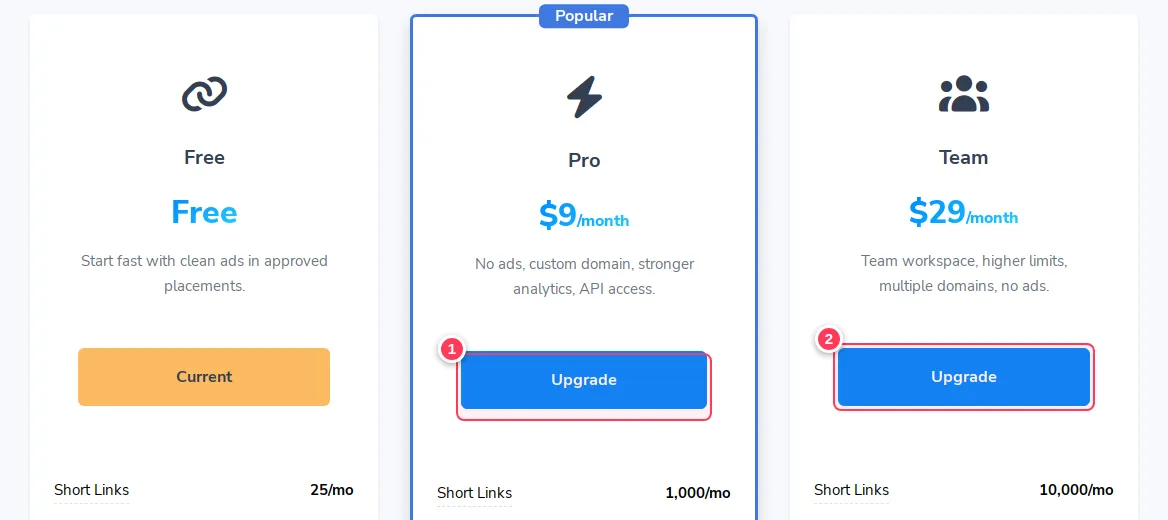
Open Pricing. Press Upgrade under Pro (1) or Team (2).
Pick the method and the period
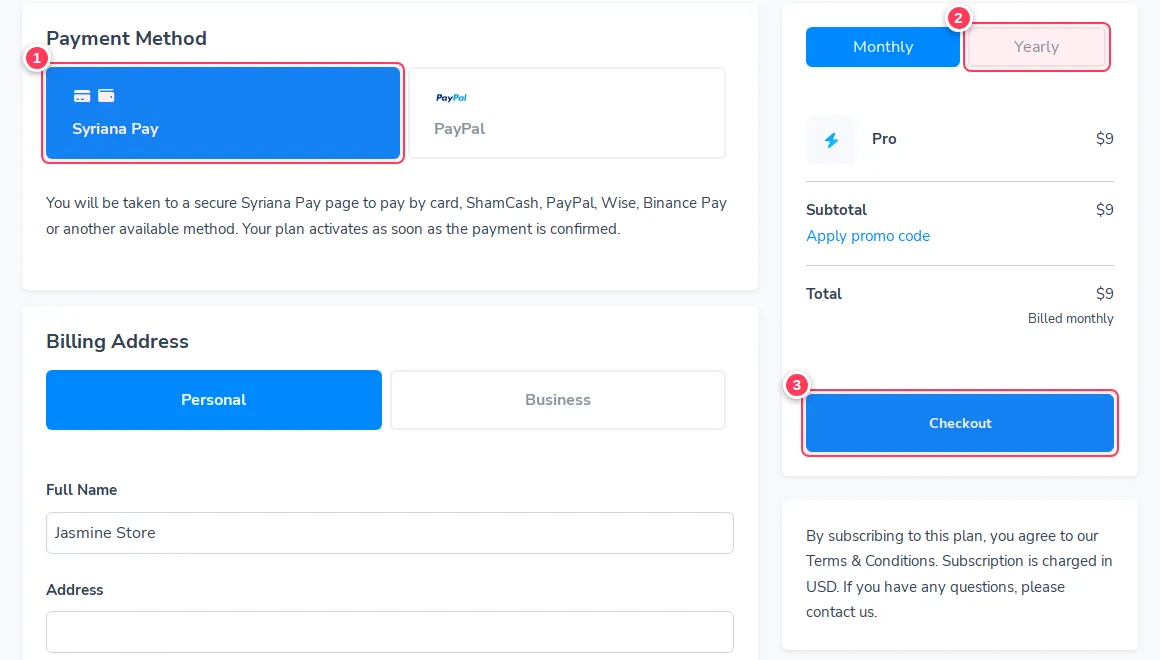
On the checkout page choose a Payment Method (1). Choose Monthly or Yearly (2): yearly is cheaper. Fill the billing address, and use Apply promo code if you have a code. Then press Checkout (3).
Pay on the secure page
You are taken to a secure payment page. After the payment is confirmed your plan activates by itself. If you have a voucher, redeem it from the Billing page.
What happens to my unused days?
- Changing to a higher plan: the unused days of your current plan are credited, so you do not pay twice for the same time.
- Renewing early: the new period is added after the days you have left.
Common problems
I paid but my plan did not change.
Wait a few minutes and refresh. If it does not change, contact us with your payment reference.
Can I go back to Free?
Your plan simply ends at the end of the period you paid for. See Stop or cancel.