
A bio page is one mobile-friendly page that holds all your links: shop, WhatsApp, Instagram, menu. You put its address in your Instagram bio or print it as a QR code.
What you need
- Plan: Free plan
- Time: 3 min
Step by step
Open Bio Pages and press Create
Click Bio Pages in the side menu, then the create button at the top of the page.
Name your page
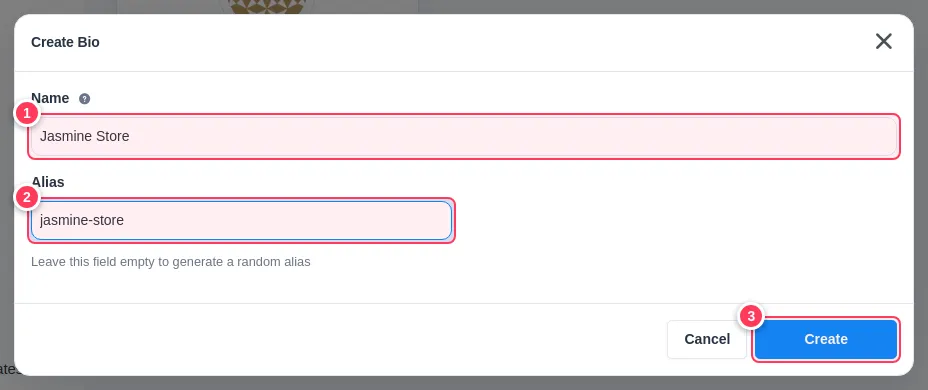
A small window opens.
- 1Name: the title visitors see, for example your shop name.
- 2Alias: the short address of the page, such as
jasmine-store. Leave it empty to get a random one. - 3Press Create.
Fill your page
The editor opens with the tabs Content, Social Links, Design, Settings, Data and Statistics. Next: add your links and buttons.
Tip: Pick the alias carefully: it becomes part of the address people see. You can change it later in the editor.
Common problems
It says I reached my limit.
The Free plan includes one bio page; Pro includes 5.
Where is my page address?
In the editor press Share. You will see the full address and a QR code.