
A QR code lets people open your link, call you, join your Wi-Fi or save your contact just by pointing a phone at it. Here is how to make one and which type to pick.
What you need
- Plan: Free plan
- Time: 3 min
Step by step
Open the QR creator
Go to QR Codes in the side menu and press Create QR.
Pick the type
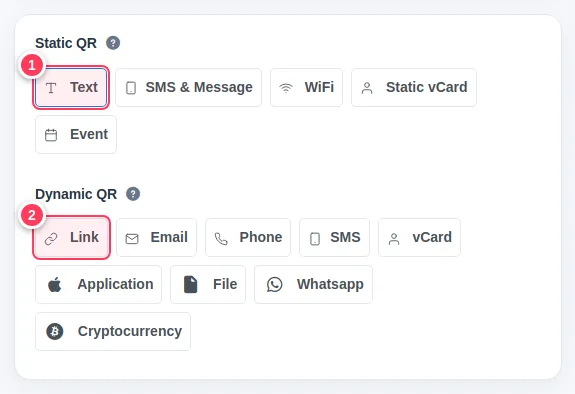
There are two groups.
- 1Static QR (Text, SMS & Message, WiFi, Static vCard, Event): the information is written inside the code. It can never change and has no scan statistics.
- 2Dynamic QR (Link, Email, Phone, SMS, vCard, Application, File, Whatsapp, Cryptocurrency): the code holds a short link, so you can change the destination later and count scans.
- 3Example of a static type: WiFi.
Fill in the details for a Link code
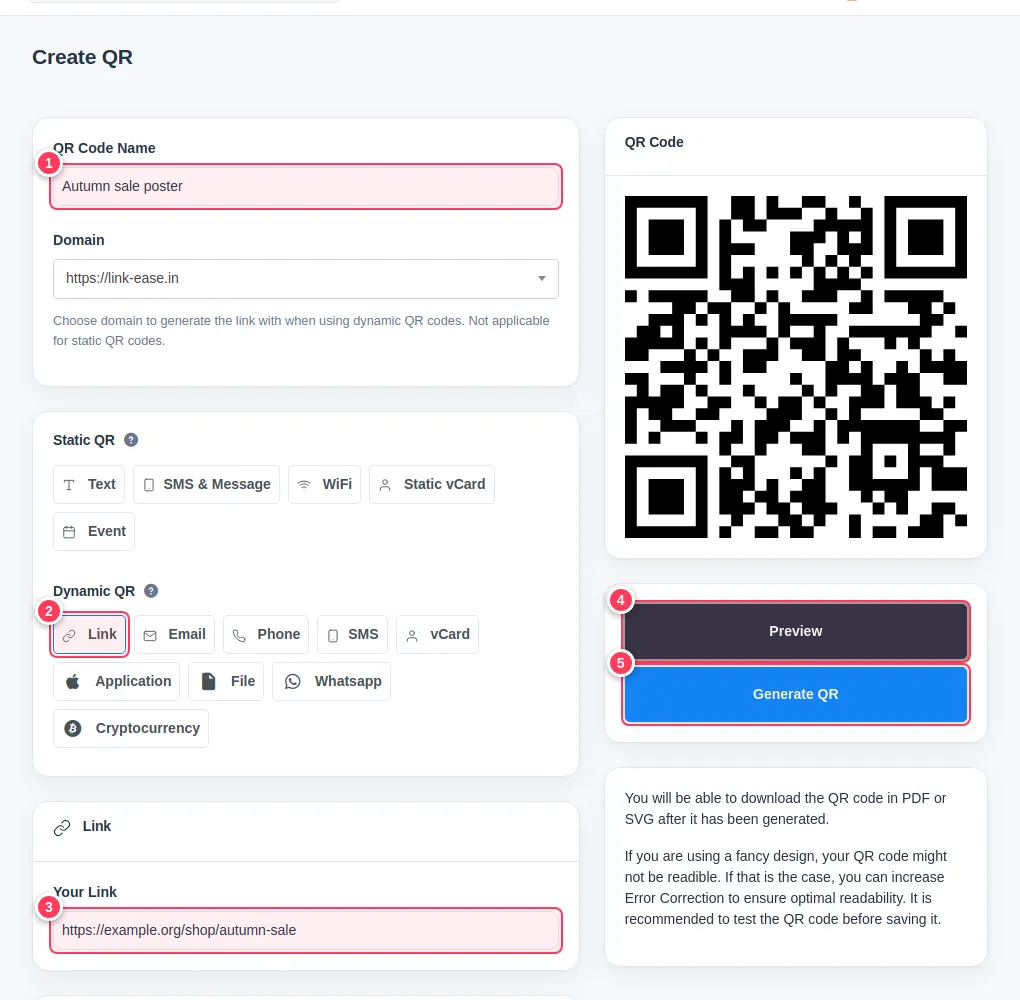
For a code that opens a web page:
- 1Give it a name only you will see, for example "Autumn sale poster".
- 2Make sure Link is selected.
- 3Paste the page address in Your Link.
Preview and create
- 4Preview shows the code on the right without saving it.
- 5Generate QR creates and saves it.
Your new code appears in the QR list, ready to download.
Example: a Wi-Fi code
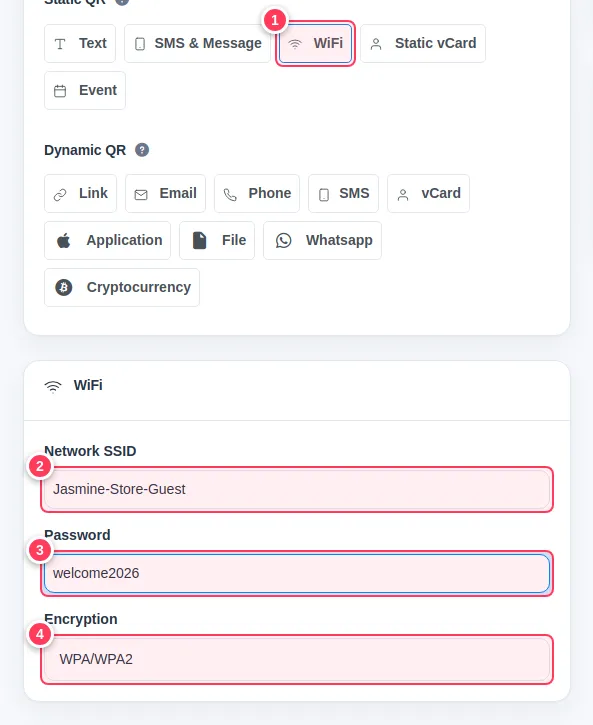
Choose WiFi, then fill in the network.
- 1Select WiFi.
- 2Network name (SSID).
- 3Password.
- 4Encryption, usually WPA/WPA2.
Guests scan it and join without typing the password.
Tip: When in doubt choose a dynamic type. You can fix a typo in the destination without reprinting.
Tip: Style it (colours, logo, frame) before downloading. See Style your QR code.
Common problems
What is the difference between static and dynamic?
Static codes hold the data directly and never change. Dynamic codes point to a short link you can edit and track.
The preview is empty.
Fill in the required field for the chosen type, then press Preview again.
Does a WiFi code work on every phone?
Most modern phones read it from the camera app. Older phones may need a QR reader app.