
Every click on your short link is counted. The statistics page tells you how many people clicked, where they are, which device they use and where they came from.
What you need
- Plan: Free plan
- Time: 4 min
Step by step
Open the statistics of a link
On Links press the three dots of the link and choose Statistics.
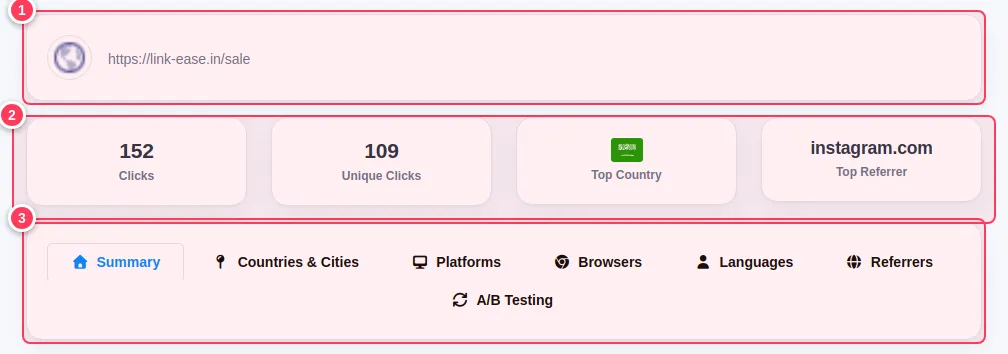
Read the top of the page
- 1The link and its short address.
- 2Four boxes: Clicks, Unique Clicks (each visitor once), Top Country and Top Referrer.
- 3Tabs for the details: Summary, Countries & Cities, Platforms, Browsers, Languages, Referrers and A/B Testing.
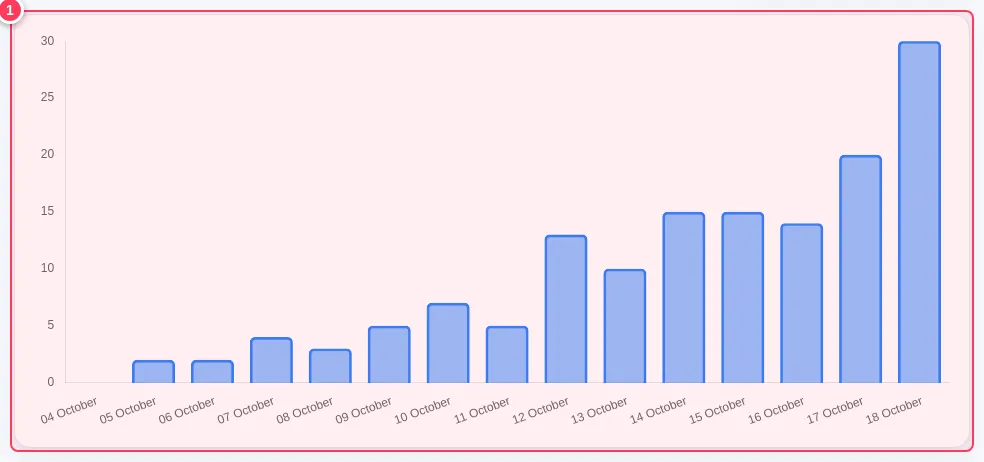
Follow the clicks over time
- 1The chart shows clicks per day. Change the period with the date box above it.
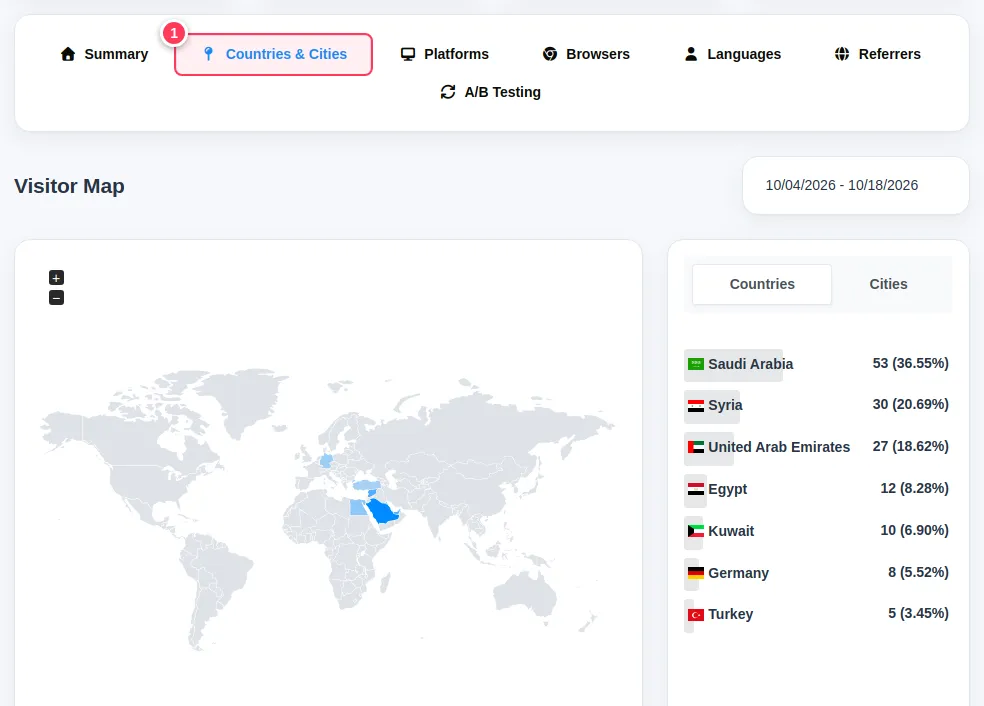
See where visitors are
Open Countries & Cities.
- 1Press the tab. The map and the list show countries and, with the Cities tab, cities.
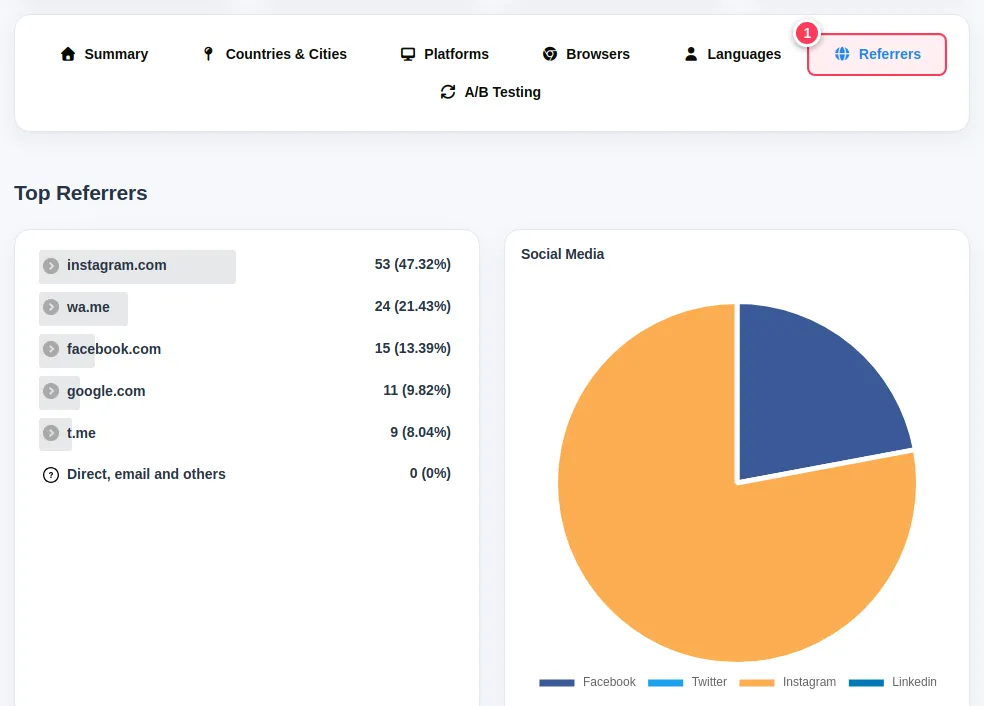
See where they came from
Open Referrers.
- 1This tab lists the websites and apps that sent the clicks, such as WhatsApp, Instagram, Facebook, Telegram or Google. "Direct" means no referrer, for example a QR scan or a message copied by hand.
Tip: Compare channels by giving each place its own link (one for Instagram, one for WhatsApp). Or add UTM tags and use channels. See Organise links with channels.
Tip: The Free plan keeps statistics for 30 days; Pro keeps them for 365 days.
Common problems
The numbers are zero.
No one has clicked yet in the chosen period, or the click was blocked as a bot. Widen the date range and test the link yourself.
What is Platforms?
The visitors' operating systems, such as Android, iPhone, Windows and Mac.