
A campaign groups several links, for example every link of your autumn sale, so you can see their combined results and share them together.
What you need
- Plan: Pro plan
- Time: 5 min
Step by step
Open Campaigns
Choose Campaigns in the side menu.
If you see "Campaign List Disabled", set a default bio page and make your public profile available first. Without them the campaign list page cannot be shown.
Create a campaign
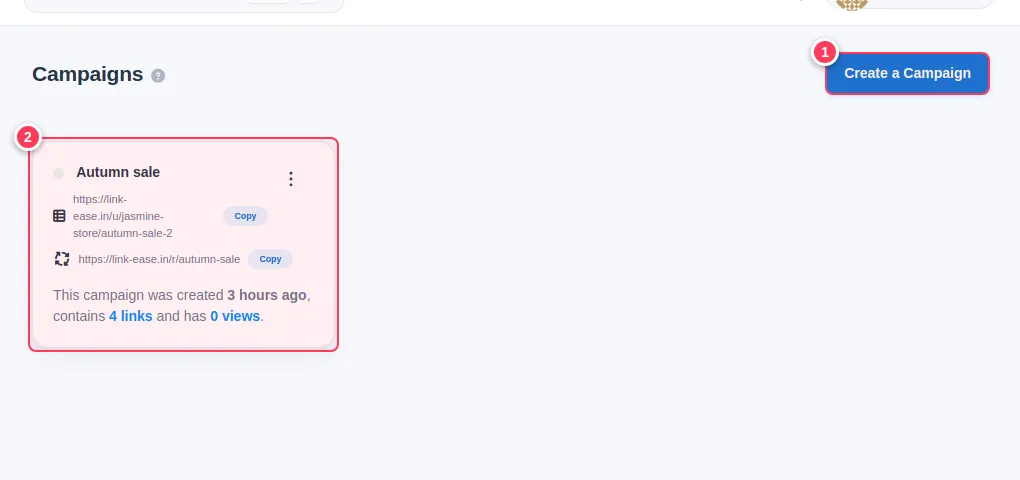
- 1Press Create a Campaign.
- 2Your campaigns appear as cards, showing the number of links and views.
Name it
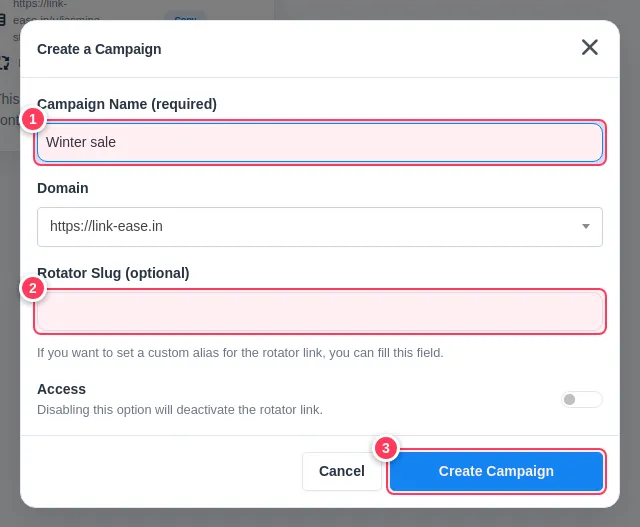
- 1Campaign Name: for example "Autumn sale".
- 2Rotator Slug (optional): a custom end for the campaign's rotator link.
- 3Press Create Campaign.
Leave Access off to keep the rotator link inactive, or switch it on to make it public.
Add links to the campaign
Open a link's edit page and choose the campaign in the Campaign menu, then press Update Link.
Read the results
Open the campaign statistics from its card.
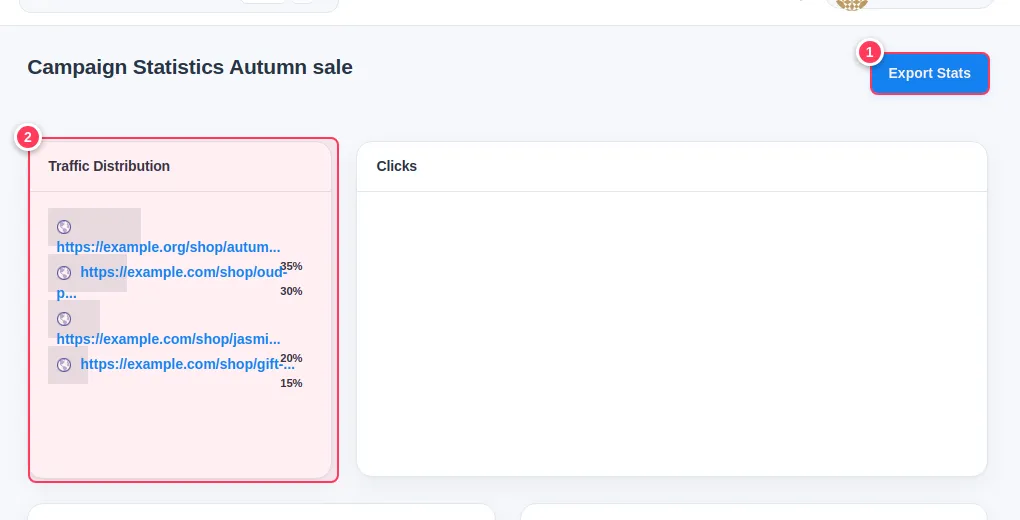
- 1Export Stats downloads the data (Pro).
- 2Traffic Distribution shows how clicks are shared between the campaign's links, next to the clicks chart, map, countries, browsers and platforms.
Tip: Name campaigns by season or product line. You can compare campaigns against each other in Statistics.
Common problems
What is the rotator link?
A single address that rotates between the links of the campaign. Switch Access on to use it.
I cannot create a campaign.
Campaigns are part of the Pro plan.