
LinkEase can tell Zapier every time you create a short link or someone clicks one. With Zapier you can then add the event to Google Sheets, send an email, or anything else.
What you need
- Plan: Any plan with access to Integrations
- Time: 10 minutes
- A free Zapier account.
Create a webhook in Zapier
In Zapier make a new Zap. As the trigger choose Webhooks by Zapier, then Catch Hook. Zapier shows you a web address that starts with https://. Copy it.
Open the Zapier page in LinkEase
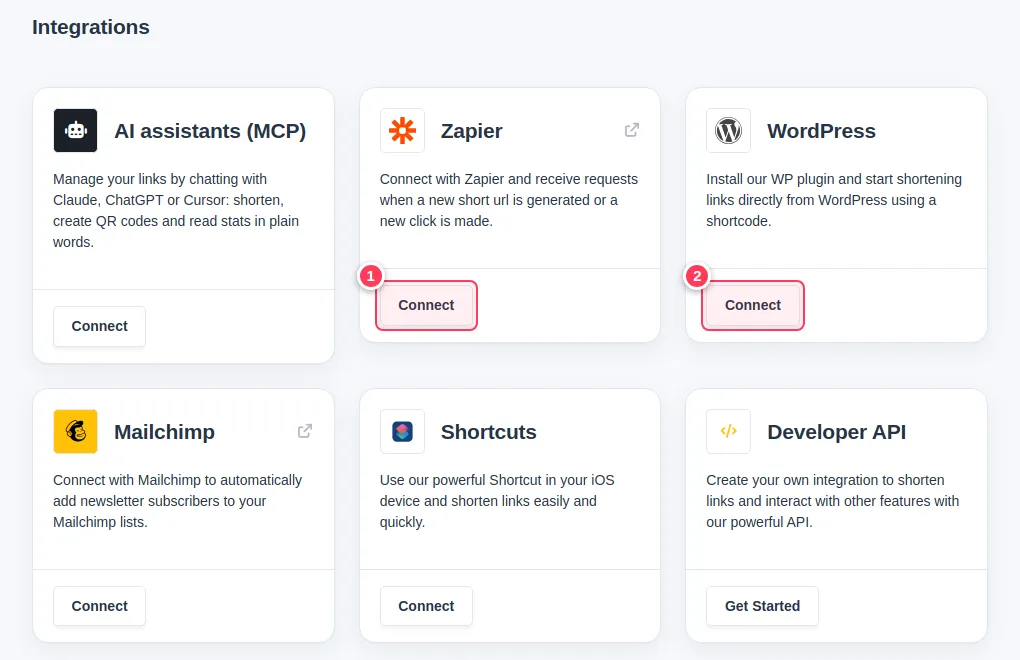
Open Integrations and press Connect on the Zapier card (1).
Paste the address and save
Paste the address in URL Zapier Notification (1) to be told about every new short link, and/or in Views Zapier Notification (2) to be told about every click. Press Save (3). Only a public
https://address is accepted.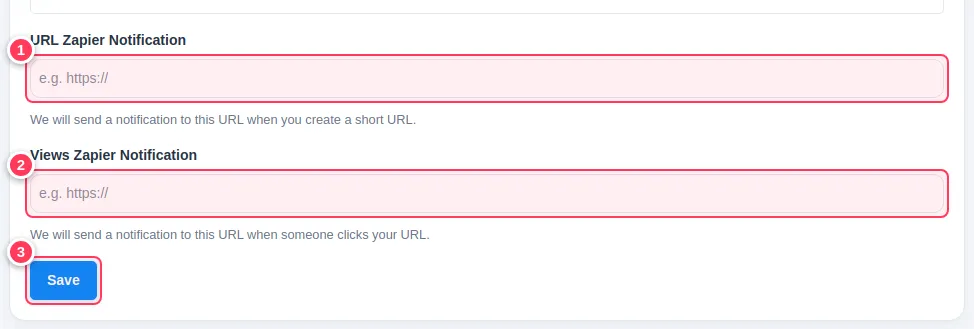
Test it and add Google Sheets
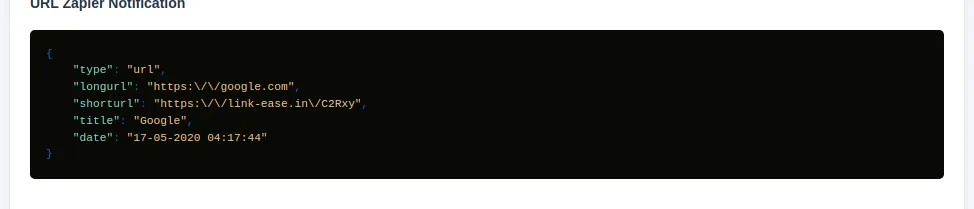
Create a short link, then go back to Zapier and press the test button: it receives a message like this one. Then add a Google Sheets action and map the fields (title, short URL, long URL, date) to columns.
Common problems
It says to use a public https address.
Paste the exact Catch Hook address from Zapier. Addresses such as http:// or localhost are refused.
Nothing arrives in Zapier.
Check the Zap is turned on and that you pasted the address in the right field: first field is for new links, second for clicks.
Can the AI assistant do it for me?
Yes. Give it your Catch Hook address and ask it to connect the webhook.