
Most connection problems have a quick fix. Find your symptom below.
What you need
- Plan: Any plan
- Time: 5 minutes
Check the link is current
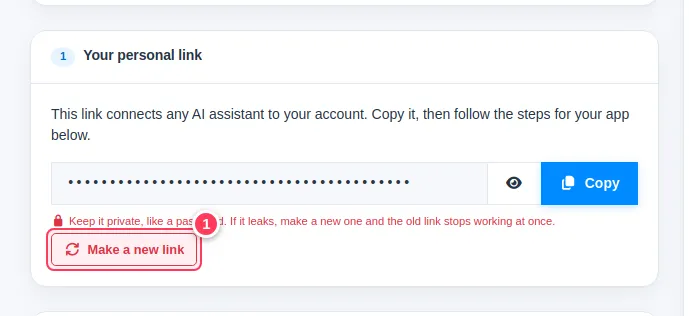
If you pressed Make a new link (1) earlier, every app still holding the old link fails. Copy the new link and update the app.
Check your balance
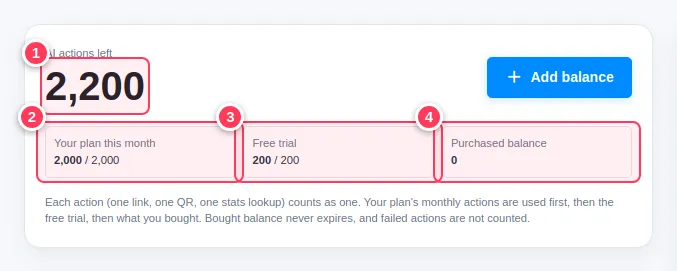
If you are out of actions, the assistant says so and gives a top-up link. See What is an AI action.
Common problems
LinkEase is not in the tools menu.
Open a new chat. In ChatGPT make sure Developer mode is on and the connector has No authentication.
I get "too many requests".
The limit is 30 actions per minute. Wait a minute and ask again.
A link was refused.
Adult, gambling, alcohol and drug links are not allowed.
Claude Desktop or a coding tool fails to start.
Recopy the snippet from the AI Assistant page, check the JSON has no missing quotes or commas, and restart the app. Claude Desktop needs Node.js.