
The assistant works only inside your own account. Here is what it can see, what it refuses, and how to cut its access at any time.
What you need
- Plan: Any plan
- Time: 3 minutes
What it can access
- Only the links, QR codes, bio pages, statistics and settings of your account, the same things you see after you sign in.
- It never asks for your account password or for your domain provider login.
- It is told to ask you to confirm in the chat before deleting anything.
What it refuses
Links to adult content, gambling, alcohol and drugs are refused, including logo and image addresses used with them. The refusal is made by the server, so asking in a different way does not change it.
Keep your link private
Your personal link is the key to the assistant. Never post it in public.
Cut access with a new link
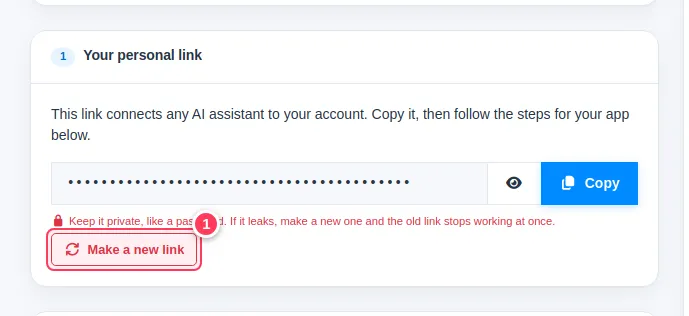
On the AI Assistant page press Make a new link (1). Every app that used the old link stops working at once, and nothing in your account is deleted.
Tip. Team members cannot use the owner's personal link. Each person should use their own account.
Common problems
Does the AI company see my links?
The app you chose (Claude, ChatGPT or your tool) sees what the assistant sends back in your chat, like any chat. Do not ask it for things you do not want in that chat.
A request was refused.
It probably points to a prohibited category. Use a different link, or contact us if you think it was a mistake.