
When a link is no longer needed you can tidy it away in two ways. Archiving hides it from your main list but keeps it working. Deleting removes it for good.
What you need
- Plan: Free plan
- Time: 2 min
Step by step
Open the link menu
On the Links page:
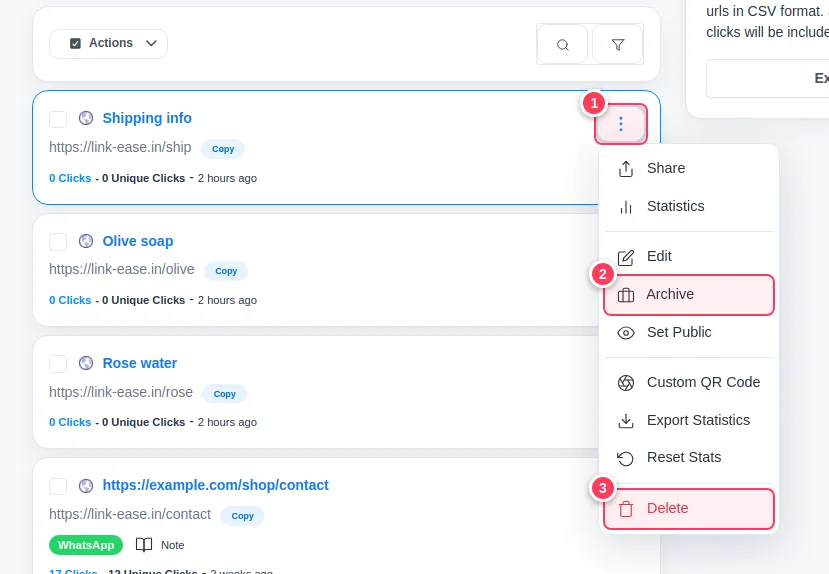
- 1Press the three dots on the link.
Archive it to hide it
- 2Press Archive. The link disappears from the main list and is kept under Archived Links in the side menu. The short address still works, so printed codes keep working.
Or delete it
If you are sure:
- 3Press Delete and confirm. The short address stops working and its statistics are removed.
Several at once
Tick the boxes beside several links and use the Actions menu above the list to archive them together.
Important: Deleting cannot be undone. If you only want it out of sight, archive it. To bring an archived link back, open Archived Links and take it out of the archive from its menu.
Common problems
I deleted a link by mistake.
It cannot be restored. Create it again; if the alias is free you can reuse the same one.
Where did my archived link go?
Open Archived Links in the side menu.