
You can shorten a link from the home page or from your dashboard. Both give you a short address you can share anywhere.
What you need
- Plan: Free plan
- Time: 2 min
Step by step
Paste your long link
On the home page the box looks like this.
- 1Paste the full address here, for example
https://example.com/shop/jasmine-soap. - 2Press Shorten.
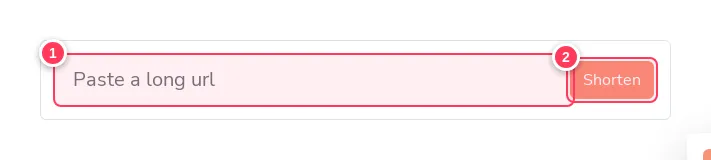
- 1Paste the full address here, for example
Sign in to keep it
On the home page, pressing Shorten while you are signed out takes you to the registration page. Create your account (or sign in) and your link will be in your dashboard. If you are already signed in, use the dashboard box below.
Use the dashboard box for more control
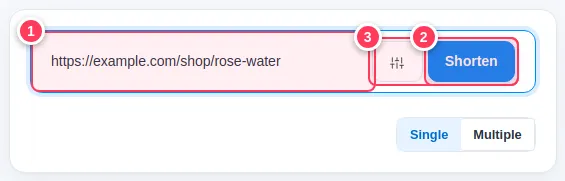
Inside your account the same box has an options button.
- 1Paste the long link.
- 2Shorten creates it.
- 3The options button opens extra settings: domain, redirect type, custom alias, channel, password and description.
Copy and share
Your new link appears at the top of Recent Links. Press Copy and paste it into WhatsApp, Instagram or an email.
Tip: Shorten many links at once with the Multiple tab (up to 10 links, Pro plan). See Create many links at once.
Common problems
Do short links expire?
No. A link stays active until you delete it, archive it, or set an expiry yourself (Pro).
Can I choose the short name?
Yes. Open the options and fill the Custom field. See Choose a custom alias.