
A 30-day pass gives you one feature for 30 days, without a plan: your own domain, or no ads on your pages.
What you need
- Plan: Free (Pro and Team already include both)
- Time: 2 minutes
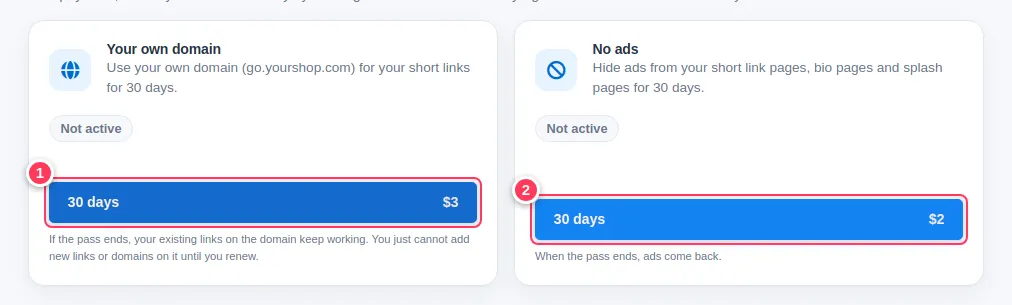
- Your own domain: $3, one domain for 30 days.
- No ads: $2, hides ads on your short link pages, bio pages and splash pages for 30 days.
Open the passes
Open Extras and scroll to 30-day passes. Press 30 days on the card you want: domain (1) or no ads (2).
Pay and check the date
After payment the card shows Active until and a date.
When a pass ends
- It ends by itself and is never charged again.
- Buying again while it is active adds 30 days to what you have left.
- Domain pass: your existing links keep working, but you cannot add new links or domains on it until you renew.
- No-ads pass: ads come back.
More about the domain pass: when it ends and how to remove a domain.
Common problems
Will it renew by itself?
No. You decide when to buy again.