
You can delete your account yourself, at any time. This article explains what happens to your data before you decide.
What you need
- Plan: Any plan
- Time: 3 minutes
- Your password.
Important. Deleting is permanent and cannot be reversed. The app says it removes your account and all your data from our server.
Before you delete
- Your short links will stop working, so move anything you still use first.
- Payments you made are not refunded by deleting. See how refunds work.
- A plan that was paid is not continued. Nothing renews by itself.
Open Settings
Click your name at the top, then Settings. The Delete your account card is in the side column.
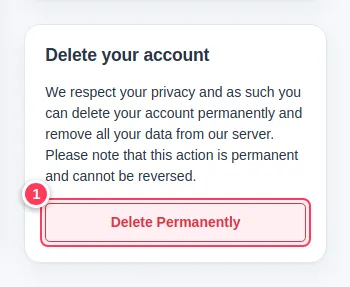
Press Delete Permanently
Press Delete Permanently (1).
Confirm with your password
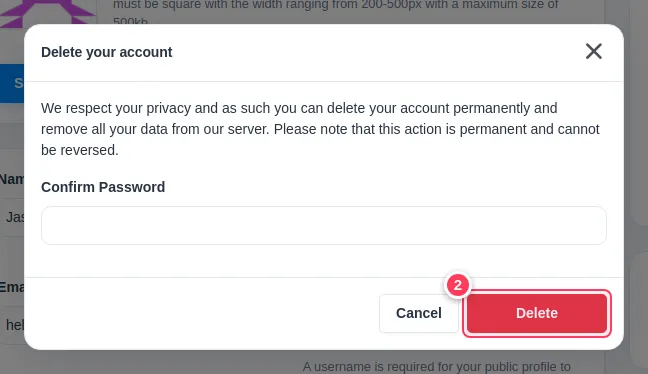
Type your password in Confirm Password and press Delete (2). Press Cancel if you changed your mind.
Privacy and your data
We keep your data to run your account. You can see and change your details in Settings, and you can end all of it by deleting the account. Read the Privacy Policy for the full details.
Common problems
I do not see the delete card.
Contact us and we will help.
I only want to stop paying.
You do not need to delete anything. See stop your plan.