
A/B rotation sends a share of your visitors to each of several pages using the same short link. Use it to compare two landing pages, or to split traffic between two shops.
What you need
- Plan: Pro plan
- Time: 3 min
Step by step
Open the edit page and find A/B Testing and Rotator
From Links press the three dots, Edit, then scroll to the A/B Testing and Rotator box.
Add the pages and their share
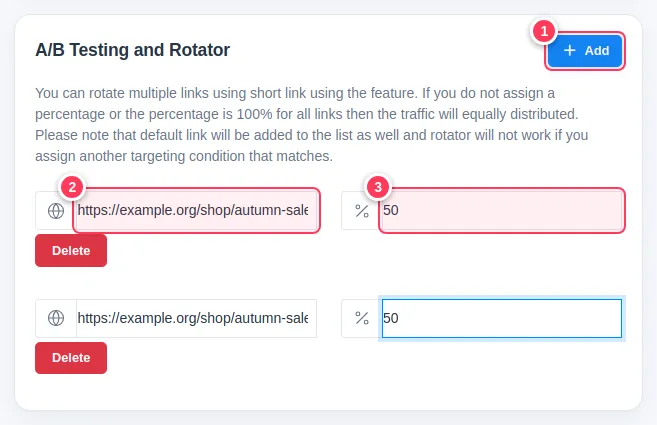
Add one row for each page.
- 1Press Add for every extra page.
- 2Type the page address.
- 3Type the percentage of visitors it should receive, for example 50.
Save and compare
Press Update Link. Then open the link's statistics and the A/B Testing tab to see how each page performs.
Tip: If you leave the percentages empty, traffic is shared equally. The main URL of the link is added to the rotation as well.
Important: The rotator does not work for visitors who match a geo, device or language rule. Those rules win.
Common problems
One page gets no visitors.
Check that the percentages are numbers and that no geo or device rule catches the same visitors first.